Scrcpy
Android Screen Mirroring
Done Right
Free, open-source, and lightning-fast. Display and control your Android device from your computer with zero compromises on quality, privacy, or performance.
Trusted by millions of developers, gamers, and power users worldwide
What is Scrcpy?
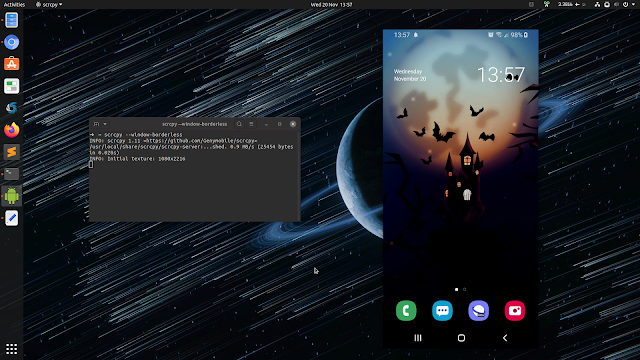
Scrcpy (pronounced "screen copy") is a free and open-source application that mirrors your Android device to your computer screen and lets you control it with your keyboard and mouse.
Lightning Fast
Startup in under 1 second. Latency as low as 35ms. Frame rates up to 120 FPS.
100% Private
No data leaves your local network. No cloud services. No tracking.
Zero Intrusion
Nothing installed on your Android device. Runs from your computer only.
Main Features
Safe & Secure
Scrcpy does not require special permissions on your Android device and does not transmit any data over the Internet, ensuring complete privacy and security.
High-quality Display
Scrcpy provides high-resolution display support, resulting in a crisp and clear image with minimal compression, making it ideal for tasks that require precise visuals.
Low Lag Latency
Scrcpy provides fast and smooth screen mirroring with low latency, making it suitable for gaming, video streaming, or recording tasks without performance drops.
Platform Compatibility
Scrcpy works seamlessly on Windows, macOS, and Linux, enhancing accessibility and convenience for users across multiple platforms without any cost.
See Scrcpy in Action
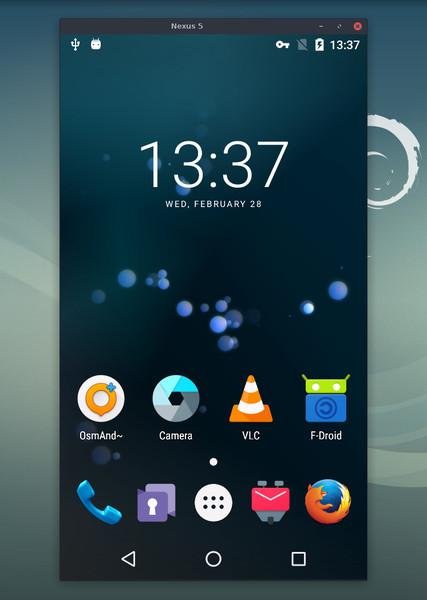
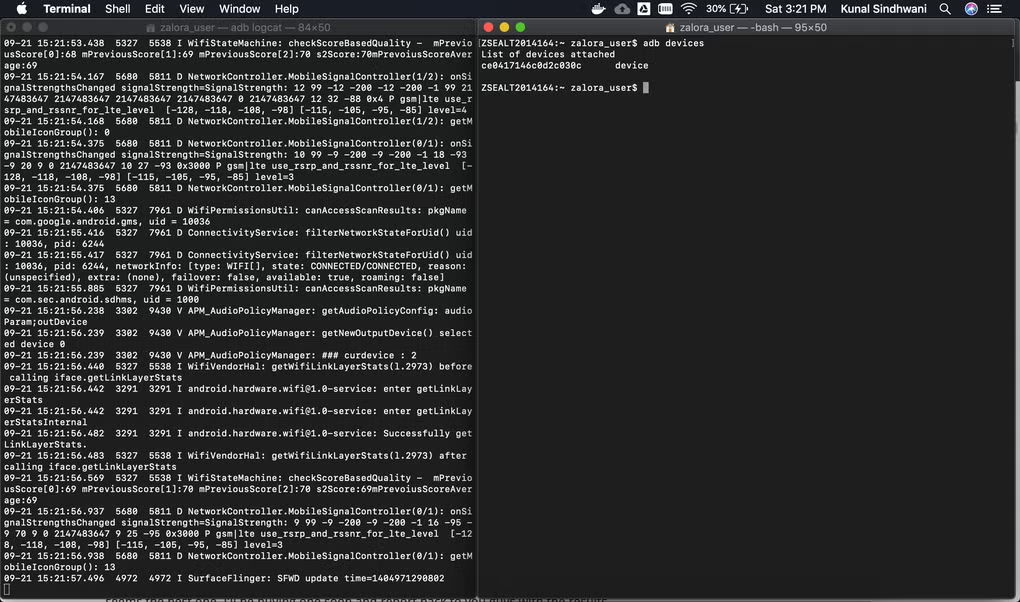
Crystal clear mirroring with responsive control. Click any image to enlarge.
Real Use Cases
Professionals across industries rely on Scrcpy for reliable Android device control.
Android Developers
Test apps on real hardware without touching the device. Debug UI issues, capture screen recordings for documentation, and demonstrate features with zero latency.
Content Creators
Record tutorials, gameplay, and app reviews directly to MP4. Use camera mirroring to turn your phone into a webcam for streaming and video calls.
IT Admins & Power Users
Manage multiple devices from a single workstation. Configure devices remotely, transfer files via drag-and-drop, and automate workflows with command-line options.
Performance Comparison
See how Scrcpy stacks up against other popular Android mirroring solutions.
| Feature | Scrcpy | Vysor | Samsung DeX | Your Phone |
|---|---|---|---|---|
| Price | Completely Free | Freemium ($2.50+/mo) | Free (Samsung only) | Free (Windows only) |
| Open Source | Yes (Apache 2.0) | No | No | No |
| Max Frame Rate | Up to 120 FPS | ~30 FPS (free) | 60 FPS | ~30 FPS |
| Latency (USB) | 35-70ms | Higher | ~100ms | ~150ms |
| Wireless Mirroring | Free | Pro only | Limited | WiFi only |
| Audio Forwarding | Yes (Android 11+) | No | Partial | Limited |
| Screen Recording | Built-in | Pro only | No | No |
| Cross-Platform | Windows, macOS, Linux | Windows, macOS | Windows, macOS | Windows only |
| Phone App Required | None | Companion app | Built-in | Companion app |
What Users Are Saying
Millions of downloads. Thousands of five-star reviews.
"Works pretty well with a lot of Android devices. Best mirroring tool I have ever used."
Verified User
"As an Android developer, Scrcpy is essential. The low latency and high frame rate make testing UI changes feel instantaneous."
Mobile Developer
"I use Scrcpy daily for creating mobile app tutorials. The screen recording feature is flawless and the quality is outstanding."
Tech Content Creator
"The wireless mirroring feature changed how I work. No subscriptions, no nonsense."
IT Administrator
"Finally a mirroring tool that respects my privacy. No cloud, no accounts, no data mining."
Privacy Advocate
"Running Scrcpy on Linux without any compatibility issues is a game changer. Native performance across all platforms."
Linux Power User
Built on Trust and Transparency
Scrcpy is developed in the open. Every line of code is publicly auditable. There are no hidden trackers, no premium tiers, and no compromises on your privacy.
- Apache 2.0 Licensed - Free for personal and commercial use forever.
- No Device Installation - Scrcpy runs from your PC and leaves zero traces on your phone.
- Community Audited - Thousands of developers have reviewed the source code.
- Active Maintenance - Regular updates with new features and security patches since 2018.
Ready to Mirror Your Android Device?
Download Scrcpy today and experience the fastest, most reliable Android screen mirroring available. Free forever, no strings attached.
Download Scrcpy NowAvailable for Windows, macOS, and Linux. Android 5.0+ required.
Published by the Scrcpy Open Source Project. Last updated: .
Source code available on GitHub. Licensed under Apache 2.0.